man_seg 3D point cloud segmentation
Table of Contents
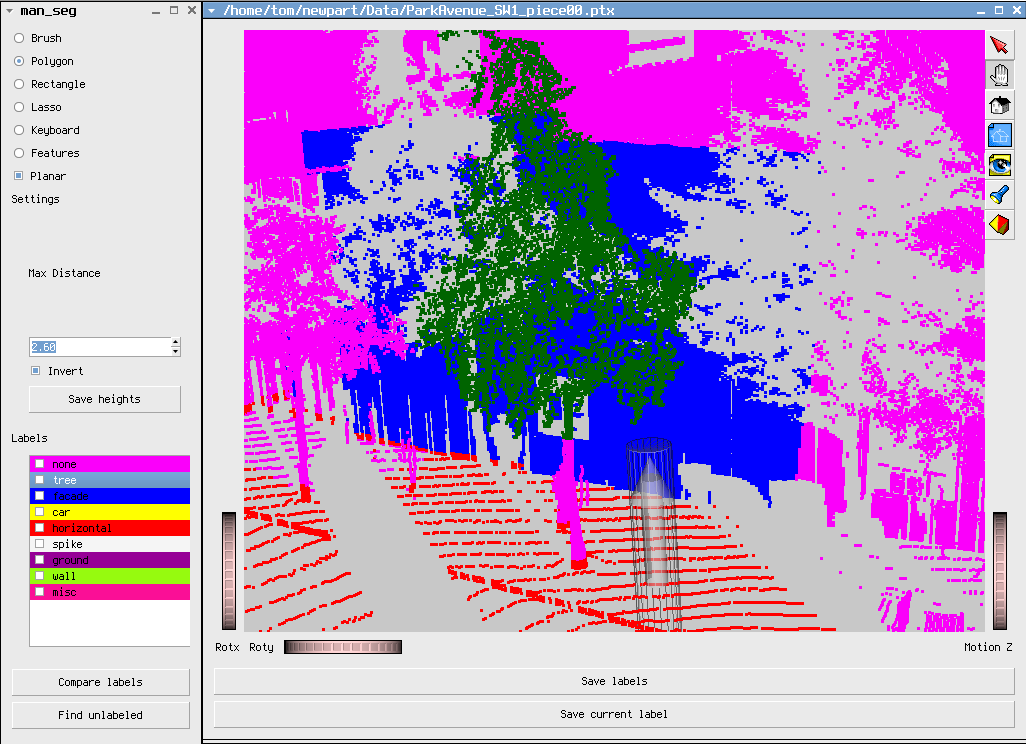
man_seg is a program for manual labeling of 3D point cloud data. Think MS paint for point clouds. It can be used for generating ground truth data and for comparing two labelings of a 3D scene (for instance comparing ground truth data with inferred labels.)
1 Demo video
2 Acquiring and setting up man_seg
man_seg was developed and tested in linux. Here are two options for getting man_seg running.
2.1 Virtualbox image
Probability the easiest option is to download this virtualbox disk image ./manseg.7z use VirtualBox to load the vbox file within. This virtual machine image contains a Debian Wheezy system with man_seg and it's dependencies installed and ready to run. The man_seg binary is in the man_seg folder in the home directory.
2.2 Building from source
Download man_seg source here. man_seg depends on the following libraries:
The provided archive contains man_seg along with the source for dependencies Coin3D and Quarter.
2.2.1 Compiling the dependencies
Quarter and Coin each contain INSTALL files detailing the compilation process for those libraries. In each case, the instructions that use configure should use. The cmake compilation path seems to result in an incomplete installation of Coin.
2.2.2 Compiling man_seg
The compilation requires access to some header files from the Coin source tree. Update the two INCLUDEPATH directives in man_seg.pro to point to your local copy of the Coin source code. Then use the two commands.
qmake
make
3 Running man_seg
To run the program you need a point cloud file (currently the program supports the ptx format), a label file which maps class names to label colors, and optionally a label file. A file 'classes' which defines several common object types is included. To start labelling a file 'mypts.ptx' type
./man_seg mypts.ptx classes
If you save the labels as mylbls.lbl you can start where you left off by typing
./man_seg mypts.ptx classes mylbls.lbl
Or if you don't even have a classes file, just do
./man_seg mypts.ptx
When the program first starts, it is in 'idle' mode. In this mode, the mouse can be used to move the camera around. To label points, it's usually beter to be in 'interaction' mode. Otherwise, the scene moves while points are marked. Use the x key to enter interaction mode, and press y to exit interaction mode.
4 Credits
This software was developed at the Computer Vision and Graphics Lab of Hunter College. This work has been supported in part by the following NSF grants: IIS-0915971, CCF-0916452 and MRI CNS-0821384